Turkcell in Turkey: Tourist SIM, eSIM and Customer Service (2026)
Tourist SIM, eSIM or a resident line? A route finder, a stay timeline, the price of a gigabyte and every Turkcell help number.
Table of Contents

Turkcell is one of Turkey’s three mobile operators, with shops on most high streets and a tourist line you can set up in its app before the flight. Getting a line is quick once you know three things: which route your passport and phone allow, what 28 days of data really costs, and which number to call when the bars go grey.
Landing soon
Passport, an unlocked phone and 1,800 TL.
- Tourist Welcome Pack: 1,800 TL for 28 days with 20 GB, 200 minutes, 100 SMS and unlimited WhatsApp messages, for a new prepaid line on a foreign passport.
- eSIM before you fly: order in the Turkcell app up to 90 days before you land. Self-activation needs an eSIM phone with NFC and a chip passport.
- Physical SIM: only in a Turkcell store, with your passport.
- Customer service: 532 from a Turkcell line, +90 532 532 0000 from any other phone.
- Phone from abroad: it works for 120 days from your entry, then it is cut off unless it is registered.
Which way in: app, store or a resident line
There are three doors to a Turkcell line, and your documents choose one before your preferences do. The Tourist Welcome Pack is only for a new prepaid line opened with a foreign passport; with a Turkish ID number or a residence permit number you get the ordinary packages instead. Then your phone decides whether you can do it all in the app.
Flip the switches to match your passport and your phone. The screen beside them shows the route that fits.
Route finder
Your passport, your phone, your route
Settings
The resident route
Ordinary packages, not the tourist pack
The Tourist Welcome Pack is closed to lines opened with a TCKN or YKN. On prepaid, look at the Fırsat packs (600 to 900 TL for four weeks); for a contract line, Star+ or a digital 5G Ultra offer. Compare them below.
- Bring your residence permit or ID card to a store, or apply online for a contract line
- Read the commitment: twelve bills, with an early-exit charge
Too early
Apply closer to your trip
Turkcell sells tourist lines only within 90 days before or after your arrival date. The app will not let you pick a later date.
- Set a reminder for 90 days before your flight
- You can change the entry date in the app later, after a code check
Stop here
Unlock the phone first
A phone locked to your home carrier will not take a Turkcell SIM or eSIM. Ask your home carrier to unlock it before you travel: it is the one step nobody in Turkey can do for you.
- Test it at home with a friend’s SIM from another network
- Or bring a cheap spare phone, keeping the 120-day rule in mind
Store route
A physical SIM or an eSIM at the counter
Go to any Turkcell store in Turkey with your passport. You can order online first and finish in the store within 90 days of the application; if the line is not activated by then, the order is cancelled and refunded to your card.
- Passport in hand; the staff check it and register the line to you
- Ask for a test call and a data check before you leave
App route
eSIM in the Turkcell app, before you fly
Order the Tourist Welcome Pack in the app, scan your passport with the camera, tap it to the phone for the chip, do a quick face check and accept the contract on a live video call. After passport control in Turkey, open the app’s Türkiye entry check, then switch the eSIM on in the phone’s settings.
- Install the eSIM at home over Wi-Fi
- Keep your home SIM for bank text messages if the phone has two lines
Identity checks are changing. Göç İdaresi, the migration authority, now describes its GöçBil app for verifying foreign subscribers: a passport or ID scan, an NFC chip read or a face check, and approving an operator’s application. Ask which route applies to your line, and do not assume that showing a passport finishes every step.
The Tourist Welcome Pack
The Tourist Welcome Pack is Turkcell’s offer for visitors: 20 GB of data, 200 minutes of calls in Turkey, 100 SMS and unlimited messaging in WhatsApp, valid for 28 days. The recommended retail price is 1,800 TL, and the campaign page runs to 31 December 2026. It comes only with a new prepaid line opened on a foreign passport.
28 days
20 GB
- 200 minutes in Turkey
- 100 SMS
- ∞ WhatsApp messages
1,800 TL
The small print, in plain words
- Messages, not calls: unlimited WhatsApp means messages. WhatsApp voice and video calls use your 20 GB.
- Minutes stay in Turkey: the 200 minutes are domestic. Calls home are charged separately.
- Not abroad: the pack works in Turkey only. Roaming needs a separate offer.
- After the allowance: use beyond it is charged at the prepaid tariff from your balance.
- Speed: up to 300 Mbps depending on the phone, with hotspot sharing allowed.
There is a bonus for topping up. Load 300 TL or more in one go, or buy a package of 300 TL or more, within 90 days of the line opening, and you get 10 GB more for 28 days. You can collect it once every 30 days and at most twice in those 90 days. Send KALAN to 2200, free, to see what is left and when it ends.
eSIM in the app, before you fly
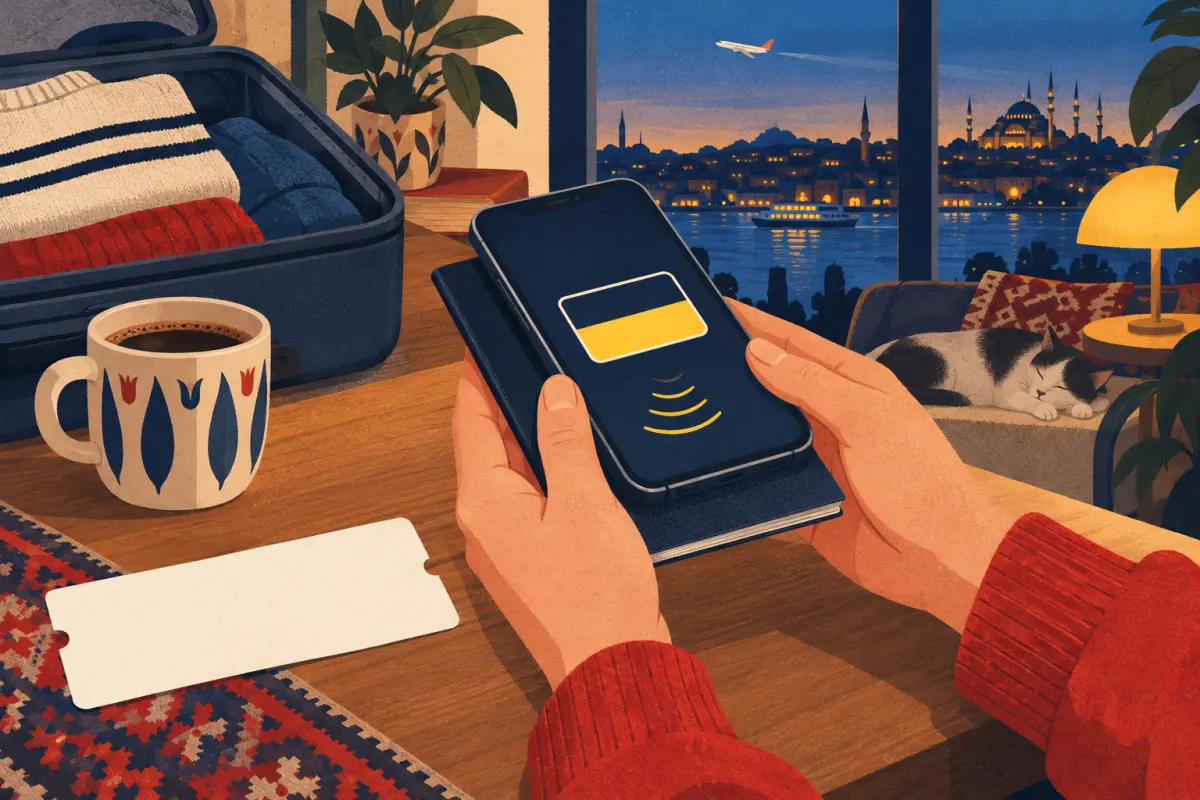
Five steps on the sofa
- Open the tourist SIM page or the Turkcell app, choose the Tourist Welcome Pack, add your arrival date and pay by card.
- Scan the photo page of your passport with the camera.
- Hold the passport to the phone so it reads the chip over NFC.
- Do the face check and accept the contract on a short live video call.
- After passport control in Turkey, open the app’s Türkiye entry check. When it says you can start, switch the eSIM line on in the phone’s settings.
Do it at home over Wi-Fi, a few days before the flight: an eSIM is downloaded, so you want a calm connection, not airport Wi-Fi. The arrival date must fall within 90 days; you can change it later in the app after a one-time code. Enter the address where you will stay in Turkey. Our guide to the Turkish address format shows how to write it.
If the scan fails
A passport number typed wrongly, or a chip the phone cannot read, ends the app route. You can switch to activation in a store, or cancel the application through customer service. Check the entry date first: a wrong date is the most common reason the line stays off.
A SIM from the store

Counter checklist
- Your passport, the original
- The phone, unlocked and charged
- The name of the pack you want: Tourist Welcome Pack
- A test call and a page loading on mobile data before you leave
- Keep the SIM card holder: it carries the PIN and PUK codes
A physical SIM card comes only from a Turkcell store; the app route is eSIM only. If you are entering Turkey without a passport, the store is also your only way in. Use Turkcell’s store finder to see whether there is a store at your arrival airport; the shops in town sell the same pack.
A store can also move an existing line to a new SIM or eSIM. Turkcell lists a SIM change at 205 TL including VAT; ask which service you are being charged for before you pay, because that price is not a fee for every tourist SIM or every eSIM conversion.
Your stay on one line
Three clocks start when you land, and they run at different speeds. The pack lasts 28 days. The top-up bonus can be collected within 90 days of the line opening. And a phone you brought from abroad has 120 days before it is cut off from Turkish networks, unless it is registered.
Slide to the length of your stay to see where each clock runs out. Then type how much data you have used so far, to see whether the 20 GB will last.
Stay timeline
Three clocks from the day you land
The pack
10 GB bonus
Phone from abroad
The pack lasts 28 days, the bonus can be collected within 90 days and a phone from abroad works for 120 days without registration.
Data runway
Day numbers count from the day the line opens, which for most visitors is the day they land. The 120 days count from your entry into Turkey, as BTK, the telecoms regulator, sets them out; the next chapter has the details.
28 days is not a month
Turkcell’s prepaid packs run for 28 days, or four weeks. A year holds 13 of them, not 12, so a pack you buy all year round costs 13 times its price.
A contract line, by contrast, is billed per billing period, so twelve bills make a year.
What a gigabyte costs
Package names change often; the price of a gigabyte tells you more. But you cannot shop across all of them: who you are decides which ones you can buy. Choose your situation first, and the bars show the gigabytes in each package with the price of one gigabyte under it.
Price of a gigabyte
Who are you on this line?
Choose one to see what you can buy.
For a new prepaid line on a foreign passport
One pack is on offer for visitors. The 10 GB top-up bonus lowers the price of a gigabyte further if you load 300 TL anyway.
For eligible existing prepaid lines
Fırsat packs do not renew by themselves and can be bought at most four times. Data inside Turkcell’s own apps is counted separately from these gigabytes.
For postpaid lines; the 5G offer is for new lines or number transfers online
- Star+ 20, twelve bills12 × 1,000 = 12,000 TL
- 5G Ultra Dijital 25, twelve bills12 × 600 = 7,200 TL
- New contract line, once700 TL tax + 323.81 TL licence
- Radio-use fee, every year323.81 TL
Leaving a commitment early brings an early-exit charge. 1,100 TL is the 5G offer’s price without commitment and after the campaign.
Turkcell prices checked on 10 October 2026, with VAT and taxes as listed. Minutes and SMS are within Turkey.
The price per gigabyte is the package price divided by its data; the minutes and SMS come on top. For a resident who mostly uses data, the 5G contract offer for new lines is cheapest per gigabyte, but a commitment means twelve bills: 7,200 TL over the year for the 5G offer, or 12,000 TL for Star+ 20. To see what a price means in your own currency, use today’s exchange rates.
Charges people miss
The package price is not the whole bill. Turkey charges a few fees on mobile lines, and they show up at awkward moments: on a top-up that seems to vanish, or on the first bill of a new contract.
Radio-use fee
323.81 TL a year in 2026, charged on every line. On prepaid, an unpaid fee is collected from your top-ups: if 100 TL or more is owed, load at least 100 TL.
Tax and licence
700 TL one-time establishment tax and a 323.81 TL one-time radio licence fee, on top of the yearly fee. Turkcell spreads them over 12 months.
SIM change
205 TL including VAT for a replacement SIM. Ask which service you are being charged for: it is not a universal tourist SIM or eSIM fee.
Out-of-pack use
Calls, SMS and data beyond the allowance are charged at the prepaid tariff from your balance, and calls abroad are not part of the domestic minutes.
The sources: Turkcell’s pages on the radio-use fee, new-line charges and SIM change. To top up a prepaid line, Turkcell lists the ways to load TL on its top-up page.
A SIM is not a phone registration
Your SIM card registers you as the owner of a number. Your phone has its own registration: the IMEI, a fifteen-digit identity you can see by typing *#06#. Turkey keeps a register of phones allowed on its networks, and a phone brought from abroad is not on it.
What BTK’s rules say
- A phone brought from abroad can be used for 120 days from your entry without registration. After that it is cut off from communication.
- Registering it costs a phone use permit fee of 54,258 TL in 2026, paid to the tax office.
- You can register only within 365 days of the entry, and only one phone per three calendar years.
- People with a TCKN or YKN who can get an e-Devlet password register through e-Devlet.
For a holiday of a few weeks, none of this matters: the phone works, and you leave long before day 120. For a longer stay, decide early. Check the phone’s status with the IMEI query on e-Devlet and whether you still have a registration right; BTK’s device registration guide explains the steps, and the fee is set in the tax office’s 2026 notice. Paying the fee alone does not register the phone: the registration has to be completed too.
Buying a phone in Turkey
A phone imported and sold through Turkish shops is already on the register. If you plan to stay many months, compare the 2026 fee with the price of a local phone before you pay to register the one you brought.
When it stops working
The bars go grey on a side street, a top-up disappears, or the phone says the SIM is not supported. Most problems have a short answer on one of six numbers, and two of them work even when your Turkcell line does not.

Customer service: 532
From a Turkcell line, call 532. From any other phone, call +90 532 532 0000; Turkcell’s tourist page names it for help in English. Platinum members use 532 as well.
Have your passport number and the Turkcell number ready. English support is not promised at every hour, so for a simple question try the app or a store first.
From your Turkcell number. Choose English if the menu offers it.
532From abroad or another network, including English support. Your own line’s call charges apply; from another Turkish line, dial 0532 532 0000.
+90 532 532 0000Text KALAN to 2200, free: the reply lists the data, minutes and SMS left in your pack.
KALAN → 2200Dial *100# for a menu on your screen with your remaining allowance.
*100#Type it on the keypad: the phone shows its fifteen-digit IMEI. Write it down before a trip.
The regulator’s consumer line, open around the clock, for phone registration questions and complaints.
120
Pick what the phone is doing. The steps go from the quickest check to the call.
What is the phone doing?
No bars at all
- Turn aeroplane mode on and off, then restart the phone.
- On a phone with two lines, check that the Turkcell line is switched on in the SIM settings.
- On an eSIM bought in the app, check the Türkiye entry check in the app: the line opens only after it passes.
- Still nothing after a restart in a busy street: call +90 532 532 0000 from another phone.
Calls work, data doesn’t
- On a dual-SIM phone, set the Turkcell line as the one for mobile data.
- Send KALAN to 2200: if the data is used up, top up and buy a package.
- Turn off any VPN or data saver and restart.
- Ask a Turkcell store to check the line’s data settings.
“SIM not supported”
- The phone is locked to your home carrier. Only that carrier can unlock it.
- Try the SIM in another phone to be sure the card itself works.
- Ask your home carrier for an unlock, or use a spare unlocked phone.
Worked for months, then stopped
- Count the days since you entered Turkey: after 120, an unregistered phone from abroad is cut off.
- Check the phone’s status with the e-Devlet IMEI query.
- Put the SIM in a phone bought in Turkey, or register yours within 365 days of entry.
Phone lost or stolen
- Call +90 532 532 0000 from another phone and ask to have the line suspended.
- Report it to the police and keep the report.
- Get a new SIM for the same number in a Turkcell store with your passport.
Superonline, Pasaj and 5G
Turkcell is several businesses under one name, and the mobile hotline is not the door to all of them.
Superonline
Turkcell’s home broadband is a separate service with its own contacts: 0532 532 00 00 for home customers and 0850 222 1 222 for businesses. Have the account and the connection address ready.
Pasaj
Turkcell’s online shop for phones and gadgets. For an order, start with the order record and the seller in Pasaj; the hotline cannot help with orders placed with other shops.
5G
Turkey’s 5G is live. Check on Turkcell’s 5G page whether your phone, your SIM and the place you are in support it: a package with 5G in its name does not promise 5G reception everywhere.
Platinum
Turkcell’s premium membership. Its page directs members to 532 as well; old VIP numbers do not replace it.
If you need to complain
Start with Turkcell and keep everything in writing. A complaint is stronger with dates, the number, screenshots of the balance or the bill, and what you were told on the phone.
- Ask Turkcell first. File it on the complaint request page, or in a store or on 532, and note the reference number.
- Follow it up. The complaint tracking page shows where it stands.
- Go to the regulator. If the answer does not solve it, BTK’s consumer line is 120, and its consumer website takes complaints about operators.
Quick answers
What is the Turkcell customer service number?
532 from a Turkcell line. From any other phone, +90 532 532 0000, or 0532 532 0000 from another Turkish line. Turkcell’s tourist page lists the +90 number for help in English.
How much is a Turkcell tourist SIM?
The Tourist Welcome Pack costs 1,800 TL for 28 days with 20 GB, 200 minutes, 100 SMS and unlimited WhatsApp messaging. The campaign page runs to 31 December 2026.
Can I get a Turkcell eSIM before I arrive?
Yes, in the Turkcell app, within 90 days before your arrival. Self-activation needs a phone with eSIM and NFC and a passport with a chip. The line starts working after the Türkiye entry check in the app, once you are through passport control.
Can I buy a Turkcell SIM card at the airport?
A physical Turkcell SIM card comes only from a Turkcell store, against your passport; check the store finder for one at your arrival airport. The app route gives you an eSIM instead.
Why did my phone stop working after a few months in Turkey?
A phone brought from abroad works for 120 days from your entry without registration; after that it is cut off unless registered. Registration costs a 54,258 TL fee in 2026 and must be done within 365 days of the entry.
How do I check my remaining data on Turkcell?
Text KALAN to 2200, free, or dial *100#. The Turkcell app shows the same, with the date the pack ends.
Sources
Prices and rules were checked on 10 October 2026. Turkcell changes packages often, so confirm the price on the purchase screen before you pay. The illustrations show the subject, not real products or shops.
- Tourist Welcome Pack — Turkcell, checked 10 October 2026
- Prepaid tourist SIM: application and activation FAQ — Turkcell, checked 10 October 2026
- Fırsat 5 GB — Turkcell, checked 10 October 2026
- Fırsat 10 GB — Turkcell, checked 10 October 2026
- Fırsat 20 GB — Turkcell, checked 10 October 2026
- Star+ 20 — Turkcell, checked 10 October 2026
- 5G Ultra Dijital 25 GB — Turkcell, checked 10 October 2026
- Radio-use fee — Turkcell, checked 10 October 2026
- New line and number transfer charges — Turkcell, checked 10 October 2026
- SIM card change — Turkcell, checked 10 October 2026
- Remaining allowance (KALAN, *100#) — Turkcell, checked 10 October 2026
- Topping up a prepaid line — Turkcell, checked 10 October 2026
- Use abroad — Turkcell, checked 10 October 2026
- Contact us — Turkcell, checked 10 October 2026
- Platinum — Turkcell, checked 10 October 2026
- 5G — Turkcell, checked 10 October 2026
- Complaint request — Turkcell, checked 10 October 2026
- Complaint tracking — Turkcell, checked 10 October 2026
- Contact — Turkcell Superonline, checked 10 October 2026
- Central device registration system — BTK, checked 10 October 2026
- Phone use permit fee for 2026 (General Communiqué no. 98) — Revenue Administration (GİB), checked 10 October 2026
- IMEI query — e-Devlet, checked 10 October 2026
- IMEI registration right query — e-Devlet, checked 10 October 2026
- GöçBil — Göç İdaresi, checked 10 October 2026
- GöçBil operator guide — Göç İdaresi, checked 10 October 2026