
Mobile Operators in Kazakhstan: SIM, eSIM and Phone Rules
Who runs mobile networks in Kazakhstan, how a SIM is registered to your passport, and what happens to a phone you bring from abroad.
Table of Contents
A mobile line in Kazakhstan has two parts, and both are tied to a person. The SIM card (SIM-карта, SIM-karta: the small chip card that carries the phone number) is registered to the owner’s ID number or, for a foreigner, to a foreign passport. The phone itself is registered by its IMEI, the 15-digit serial number of the device. A phone that stays on a SIM card from home, on roaming (роуминг, rouming: using a foreign operator’s network), registers nothing here.
In short · checked 28.10.2026
Roaming registers nothing. A Kazakh SIM card registers the phone.
Which is your case?
- Nothing to register. A phone on roaming is outside the rule.
- A Kazakh SIM card changes this. Then the phone is registered too.
- SIM card: registered to your passport or ID number.
- Phone: checked by the state, then on the white, grey or black list.
- Black list: the operator stops service.
- Before paying: check the IMEI on imei.rfs.gov.kz.
- Verified: put your registered SIM card in it, and the phone is registered.
- Not verified: back to the seller.
Tool · rules checked 28.10.2026
The SIM tray
Pick the SIM card that sits in your phone. It slides into the tray, the screen shows what the phone gets, and the two cards say who does what. The sheet keeps the Russian lines for the counter.
| Case | Your step | The shop’s step | Say at the counter (Russian) | |
|---|---|---|---|---|
| Home SIM, roamingThe phone keeps the SIM card from home. |
|
|
|
|
| Kazakh SIM in my phoneA Kazakh SIM card goes into your own phone. |
|
|
|
|
| Phone bought hereYou buy a phone in Kazakhstan and put your registered SIM card in it. |
|
|
|
|
| eSIM or second SIMA second slot or an eSIM has its own IMEI. |
|
|
|
|
Steps as the ministry and Beeline print them · checked 28.10.2026
The operators: three companies, five brands
A mobile operator, in Russian оператор сотовой связи (operator sotovoy svyazi), is a licensed company that runs a mobile network and sells SIM cards for it. The Ministry of Artificial Intelligence and Digital Development, МИИЦР (MIITSR) for short, is the state body that oversees telecommunications. Three companies run the mobile networks in Kazakhstan, under five brands.
 АО «Kcell»
Kcell
One of the two brands of the joint-stock company Kcell.
 АО «Kcell»
Activ
The second brand of the same company.
 ТОО «Кар-Тел»
Beeline
Run by the limited-liability partnership Kar-Tel; legal address in Astana.
 ТОО «Мобайл Телеком-Сервис»
Tele2
The company has not been owned by or affiliated with Tele2 Sverige AB since 28.06.2019; it uses the brand under licence.
 ТОО «Мобайл Телеком-Сервис»
Altel
The second brand of the same company as Tele2.
Logos as the operators’ sites (Beeline, Tele2) and the ministry’s page (Kcell, Activ, Altel) serve them, unaltered. Customer lines as the ministry prints them.
- 3G
- Introduced in Kazakhstan in 2011.
- 4G / LTE
- The operators began to offer it in 2014.
- 5G
- A pilot test of 5G networks ran in 2019 in Astana (then named Nur-Sultan), Almaty and Shymkent.
Beeline sells and serves through three kinds of points: its own offices, counters inside electronics shops and its partners’ outlets. In Russian a shop of an operator is a салон связи (salon svyazi). For the shopping centres themselves, see Malls in Kazakhstan.
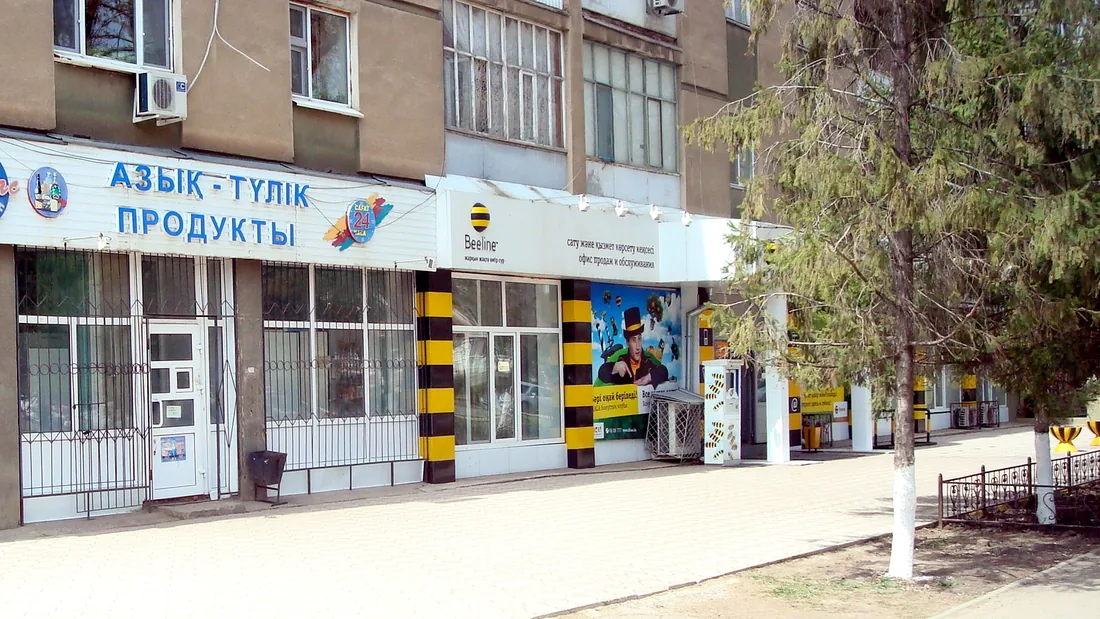
Ministry of Artificial Intelligence and Digital Development, Beeline, Tele2 · checked 28.10.2026 · customer lines · mobile communication · network history · Beeline about · Beeline points · Tele2
Buying a SIM card: passport, registration, the counter
The number is registered to a person when the SIM card is bought, and the number and the phone have to be registered to the same person. A Kazakh citizen gives the ID number, ИИН (IIN; ЖСН, JSN in Kazakh), a 12-digit personal number given once, for life. It is printed on the ID card below the date of birth, and on page 2 of the citizen’s passport. A foreigner gives the foreign passport.
- Choose the operator and the way to buyAn operator’s shop or, at Beeline, the Janymda app, where Beeline now sells its new numbers.
- Show the passportThe number is registered to its buyer. On the number-registration site you enter the number and the PIN1, the code printed on the SIM holder, and choose a status: “citizen of Kazakhstan” and the ID number, or “citizen of another country” and a photo of the foreign passport.
- Pass the identity checkIn the app or on the number-registration site the operator asks for a photo of the document and a selfie: a face check against the document (биометрическая идентификация, biometricheskaya identifikatsiya).
- Confirm, then register the phoneA notice says the number is registered. The phone has its own registration, which is chapter 03.
Beeline · checked 28.10.2026 · number registration · number shop · Janymda
Beeline, without the app
- Resident
- Dial *692# and enter the IIN.
- Non-resident
- Send an SMS with the foreign-passport number to 6915. The system answers with a request for surname, first name and postal address; send them to finish.
- Check the result
- Dial *835# to see whether the number is registered to you.
Beeline · checked 28.10.2026 · number registration · Beeline IMEI page
A foreigner can also get an ID number. A non-resident asks for an IIN and an e-signature at a ЦОН (TSON, Центр обслуживания населения, Tsentr obsluzhivaniya naseleniya: a state service centre for the public). The e-signature, ЭЦП (ETsP), is a digital signature file that signs applications on state sites. The phone check of a foreigner needs both (chapter 03).
Three lines in Russian for the counter. Copy one to show it, or read the respelling.
For shopping and paying online, see Online Shopping in Kazakhstan; for bank accounts and the deposit guarantee, see Banking in Kazakhstan.
Your phone: IMEI, the three lists, a phone from abroad
The IMEI (International Mobile Equipment Identity) is the 15-digit serial number of a device that takes a SIM card. It lets the operators know which phone belongs to whom, so a stolen phone works only with a SIM card registered to its owner.
The law “On Communications” has required the registration since 01.01.2019, and it covers phones, tablets, modems and smartwatches with a SIM card. Registration at the operators is free, and an operator may not serve a device that is not in the database. The database holds three things together: the IMEI, the phone number and the owner’s ID number.
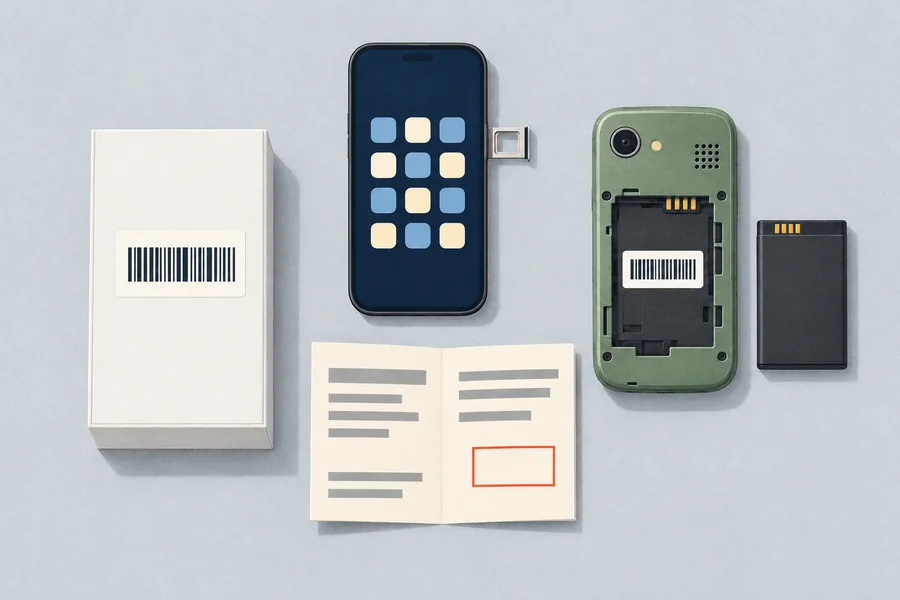
- On the phone
- Dial *#06#
- On the box
- A label on the box of a new phone.
- On the warranty card
- Printed on the card the shop hands over.
- Under the battery
- On phones with a removable battery.
Who is registered
- A phone on roaming: not registered. A Kazakh SIM card in the same phone changes that.
- Machine-to-machine devices (GPS trackers, alarms, smart meters, cash machines): exempt. Modems, routers, tablets and smartwatches are registered like phones.
- A child under 14: a parent or legal guardian registers the phone to their own data. A child of 14 or older may register it to their own ID data, with the consent of a parent or legal guardian.
- One owner, many devices: no limit on devices per owner, but one device has only one owner. A phone with two SIM cards is registered with each, to the same owner.
- A copied IMEI: counterfeit phones can carry the IMEI of an original. Such a device cannot be registered, and if it is removed from the registration it cannot be registered again on any Kazakh network.
Beeline, ministry · checked 28.10.2026 · Beeline IMEI page · ministry database page · ministry FAQ
From March 2025 every phone that enters the state database is also checked: that its IMEI is genuine, that it is not on the GSMA blacklist (an international list of stolen, lost or blocked phones), and that its import is lawful, as the data of the makers, importers and service centres show. The result is one of three lists.
- White list: verified; service is not restricted.
- Grey list: the IMEI is missing from the importers’ and makers’ data. Service is allowed for 30 days from the first registration attempt, and in that time the owner confirms on the state portal kz-imei.kz that the import was lawful.
- Black list: an incorrect IMEI, the GSMA blacklist, or the 30 days ended. The operator has to stop service.
Beeline · checked 28.10.2026 · Beeline: new rules
Phones already in use and registered when the rules changed are not meant to be restricted. Check a phone’s status on the state site imei.rfs.gov.kz or in eGov Mobile, the state services app. The site checks only the first 14 digits of an IMEI. It also lists the numbers registered to an ID number, and the ministry’s page asks owners to look at both from time to time.
Registering, re-registering and selling a phone
The codes here are Beeline’s; customers of the other operators ask their own customer line (chapter 01).
- A new phone
- Put in a SIM card registered to you, then wait for the SMS about the registration. Or dial *691# and enter the ID number; a foreigner dials *693# and enters the foreign-passport number.
- A used phone
- Dial *6914# on the phone with your SIM card, choose “re-registration” and enter the data asked. The former owner’s ID number and phone number are needed.
- Selling your phone
- Dial *6914#, choose “removal from registration” and enter your ID number. A foreigner chooses “for non-residents” first and enters the foreign-passport number.
- Other ways
- Call 6914 (09:00 to 01:00) or go to an office of the operator with the passport.
- The code will not dial
- “Invalid MMI code” on the screen is a phone setting: switch off adding the country code before a call.
Beeline · checked 28.10.2026 · Beeline IMEI page
A phone from abroad with a Kazakh SIM card
A foreigner’s phone with a Kazakh SIM card goes through the state check. The process is set by the state bodies and can change, and the portal’s own FAQ has the current steps.
- Get an ID number and an e-signatureA non-resident gets an IIN and a non-resident ЭЦП (ETsP) at any ЦОН (TSON).
- Get the border-crossing certificateAsk for the certificate of the fact of crossing the border (справка о факте пересечения границы, spravka o fakte peresecheniya granitsy) in the QazETA app, section “Services”.
- Log in to the portalOpen kz-imei.kz and enter the IIN. On a computer sign in with the e-signature, on a phone with the eGov Mobile app.
- Fill in the applicationType: verification for individuals. Way of import: accompanied baggage, meaning the phone travelled with you. Give the date of entry and the country you came from, and attach the certificate. Other papers, such as a passport photo with the entry mark or an arrival notice, are not accepted.
- Add the device and signChoose the brand and the model, add every IMEI (*#06# or the box) and sign with the e-signature.
- Wait for the answerThe ministry confirms or rejects the application, up to 72 hours. The operator cannot see the result. On success the phone enters the white list and an SMS about the registration comes. Confirm the status on kz-imei.kz or in eGov Mobile.
Beeline, IMEI verification page · checked 28.10.2026 · Beeline: verification routes
A phone ordered by parcel uses the same portal, with “unaccompanied baggage” and the parcel’s tracking number. A phone bought in Kazakhstan that is not verified goes back to the seller: the seller verifies it through the supplier or takes it back.
A second IMEI, an eSIM, two SIM cards
An eSIM is a SIM card built into the phone: there is no card to insert. The state database asks to verify every IMEI, and a second SIM slot or an eSIM has its own. With one IMEI verified, the second is verified in the eGov Mobile app, with no papers, and the ministry answers within 72 hours.
Turkey
Turkey has its own, different phone registration: Phone Registration in Turkey.
Topping up, plans and apps: balance, tariffs, support
Topping up (пополнение, popolneniye) puts money on the balance of a prepaid number. A tariff (тариф, tarif) is the price plan of a number. Each operator sets its own: the state stopped regulating tariffs on 01.01.2017, and the law “On Communications” leaves the prices to the operators.
- Top-up: Beeline tops up a mobile balance, or an “Internet at Home” login, on its own form with no commission.
- Apps: Beeline runs the Janymda app and Tele2 an app for managing a number and its services.
- Discounts: Tele2 marks some tariff prices as discounts for new clients only.
Ministry, Beeline, Tele2 · checked 28.10.2026 · ministry FAQ · Beeline top-up · Beeline tariffs · Tele2
For a balance or a plan, call the operator’s customer line (chapter 01).
Coverage and 5G: quality checks and complaints
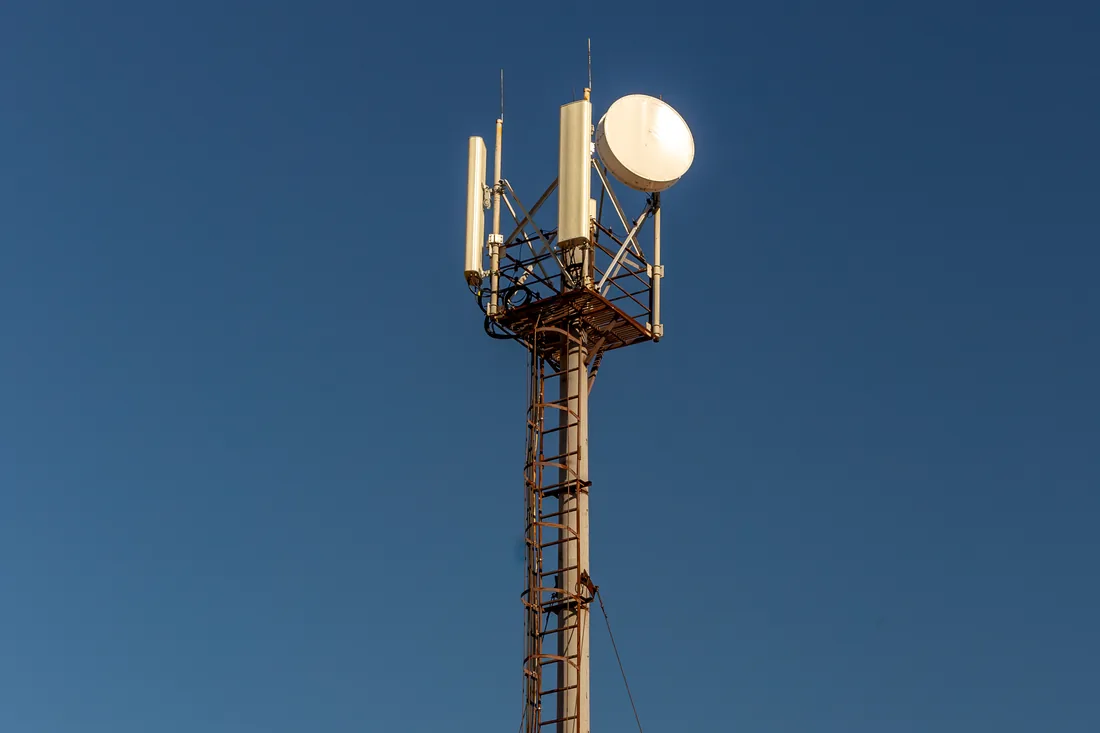
The ministry’s Telecommunications Committee measures the quality of mobile service with mobile laboratories in regional centres, cities and on main roads, and makes unscheduled checks after citizens’ complaints. Tele2 lists plans that work in 5G, 4G and 3G.
- Write down the problemThe exact address, the operator and your contact data.
- Send the appealThrough the e-government portal egov.kz, the state’s online services, or in person, to a regional communications inspectorate (межрегиональная инспекция связи, mezhregional’naya inspektsiya svyazi) or to the Telecommunications Committee of the ministry.
- The state body checksIt starts an unscheduled check of the coverage at that place.
Ministry · checked 28.10.2026 · ministry FAQ · quality checks
When it does not work: four cases
No message after registering
Ask the operator’s customer line (chapter 01) or go to its shop. Beeline customers can dial *691# to ask again.
The number or phone shows another owner
The operator refuses a registration when the phone or the number is already registered to another owner in the central database. Beeline: confirm the identity in the Janymda app (document photo and selfie) or at an office.
The phone is on the black list
The operator has to stop service. Questions and appeals go to the kz-imei.kz help line, 3838, free inside Kazakhstan, daily 08:00–19:00.
A phone was stolen
It works only with a SIM card registered to its owner. To find it, the ministry says, go to the police.
Enter the data only on the state check sites
Check a phone only on the state sites above. Never read an SMS code to anyone, even a caller who says they work for the state.
Beeline, ministry · checked 28.10.2026 · Beeline IMEI page · Beeline: fraud · ministry FAQ
Quick answers
Do I register a phone on roaming?
No. A phone that uses a foreign SIM card on roaming is outside the rule. A Kazakh SIM card in it changes that.
Do I need an ID number as a foreigner?
For the state check of a phone with a Kazakh SIM card, yes: a non-resident gets an IIN and an e-signature at a ЦОН. The SIM card itself is registered with the foreign passport.
What does the grey list mean?
The phone is not in the importers’ data. Service runs for 30 days from the first registration attempt, and the owner confirms the lawful import on kz-imei.kz in that time.
Does an eSIM need its own check?
Yes. An eSIM has its own IMEI. With one IMEI verified, the second is verified in the eGov Mobile app, with no papers.
How do I check a phone before I buy it?
Enter its IMEI on imei.rfs.gov.kz or in eGov Mobile. The IMEI is on the box and shows with *#06#.
Where do I top up?
On the operator’s own form or in its app. Plans and prices are set by each operator.
Who do I call about a bad signal?
The operator’s customer line first. A complaint can also go to the regional communications inspectorate through egov.kz.
Is registration free?
Yes. The ministry’s FAQ says the operators register IMEI codes free of charge.
Sources and limits
This page describes the rules; it is not legal advice.
Show the pages checked
- База данных идентификационных кодов — Ministry of Artificial Intelligence and Digital Development, checked 28.10.2026
- Мобильная связь — Ministry of Artificial Intelligence and Digital Development, checked 28.10.2026
- Связь — Ministry of Artificial Intelligence and Digital Development, checked 28.10.2026
- Контроль качества связи — Ministry of Artificial Intelligence and Digital Development, checked 28.10.2026
- Вопросы и ответы — Ministry of Artificial Intelligence and Digital Development, checked 28.10.2026
- Регистрация IMEI — Ministry of Artificial Intelligence and Digital Development, checked 28.10.2026
- База данных идентификационных кодов (БДИК) — Ministry of Artificial Intelligence and Digital Development, checked 28.10.2026
- Регистрация устройства — Beeline, checked 28.10.2026
- Верификация устройства — Beeline, IMEI verification page, checked 28.10.2026
- Регистрация номера — Beeline, checked 28.10.2026
- Пополнение баланса — Beeline, checked 28.10.2026
- Офисы — Beeline, checked 28.10.2026
- О компании — Beeline, checked 28.10.2026
- Тарифы — Beeline, checked 28.10.2026
- Мошенничество — Beeline, checked 28.10.2026
- Выбор номера — Beeline, checked 28.10.2026
- Janymda — Beeline, checked 28.10.2026
- Tele2 — Tele2, checked 28.10.2026
Two photographs are from Wikimedia Commons, each with its author, licence and file page in the caption. The cover and two other pictures are drawings made for this page.